How Piqely Billing Works
Piqely's billing model is designed to align incentives: you pay a predictable monthly base for infrastructure and management, plus a performance fee only when we deliver qualified meetings. Here's everything you need to know.
The Pricing Model
Standard Plan: $3,000/month + $250/qualified meeting
- $3,000/month covers campaign management, list building, copy, infrastructure, Wire (reply management), Forge (optimization), and your CSM
- $250 per qualified meeting is charged only when a meeting actually happens and meets your ICP criteria
- 3-month minimum commitment, then month-to-month
- Everything in Standard, plus dedicated branded sending domains and 12 exclusive inboxes
- Emails appear to come from your company directly (e.g., from getacmecorp.com)
- Same $250 per qualified meeting
- Same 3-month minimum
- Sign-up date: March 1
- Campaign goes live: March 24
- First invoice: April 1 (covers March 24–March 31 prorated, or full April depending on billing cycle setup)
- Meeting auto-qualifies (2 hours after scheduled time, assuming no no-show)
- $250 queued as a pending invoice item in Stripe
- Invoice generates at the end of your billing period
- 1-hour review window: you can still mark no-shows before the invoice finalizes
- Invoice finalizes and charges your saved payment method
- Review all meeting line items
- Mark any last-minute no-shows (voiding those charges)
- Flag anything that looks incorrect
- Billing period (e.g., "March 1 – March 31, 2026")
- Base fee as a single line item
- Each qualified meeting as its own line item with prospect name
- Total due
PIQ Pro Plan: $3,500/month + $250/qualified meeting
When Does Billing Start?
Billing starts when your campaign goes live, not when you sign up.
The warmup period (22–28 days) is infrastructure setup. We're building your sender reputation, preparing your prospect list, and writing your sequence. You don't pay for warmup time.
The moment your inboxes hit 85%+ reputation and your campaign activates, your subscription starts. Your first invoice covers the first full calendar month of active sending.
Example:
See When Does Billing Start? for more detail.
How Meeting Fees Are Charged
Meeting fees don't generate a separate charge; they're collected as line items on your monthly invoice.
Here's the flow:
This means if you have 6 qualified meetings in March, your April invoice looks like:
``
Piqely Standard - April 2026          $3,000.00
Qualified Meeting  -  Marcus Webb           $250.00
Qualified Meeting  -  Priya Nair            $250.00
Qualified Meeting  -  Derek Callahan        $250.00
Qualified Meeting  -  Alicia Fontaine       $250.00
Qualified Meeting  -  James Okafor          $250.00
Qualified Meeting  -  Sarah Mitchell        $250.00
Total $4,500.00 ``
The 1-Hour Review Window
Before your invoice finalizes each month, you have a 1-hour review window to:
After the window closes, the invoice finalizes and your card is charged. Disputes after this point require contacting your CSM directly.
Understanding Your Invoice
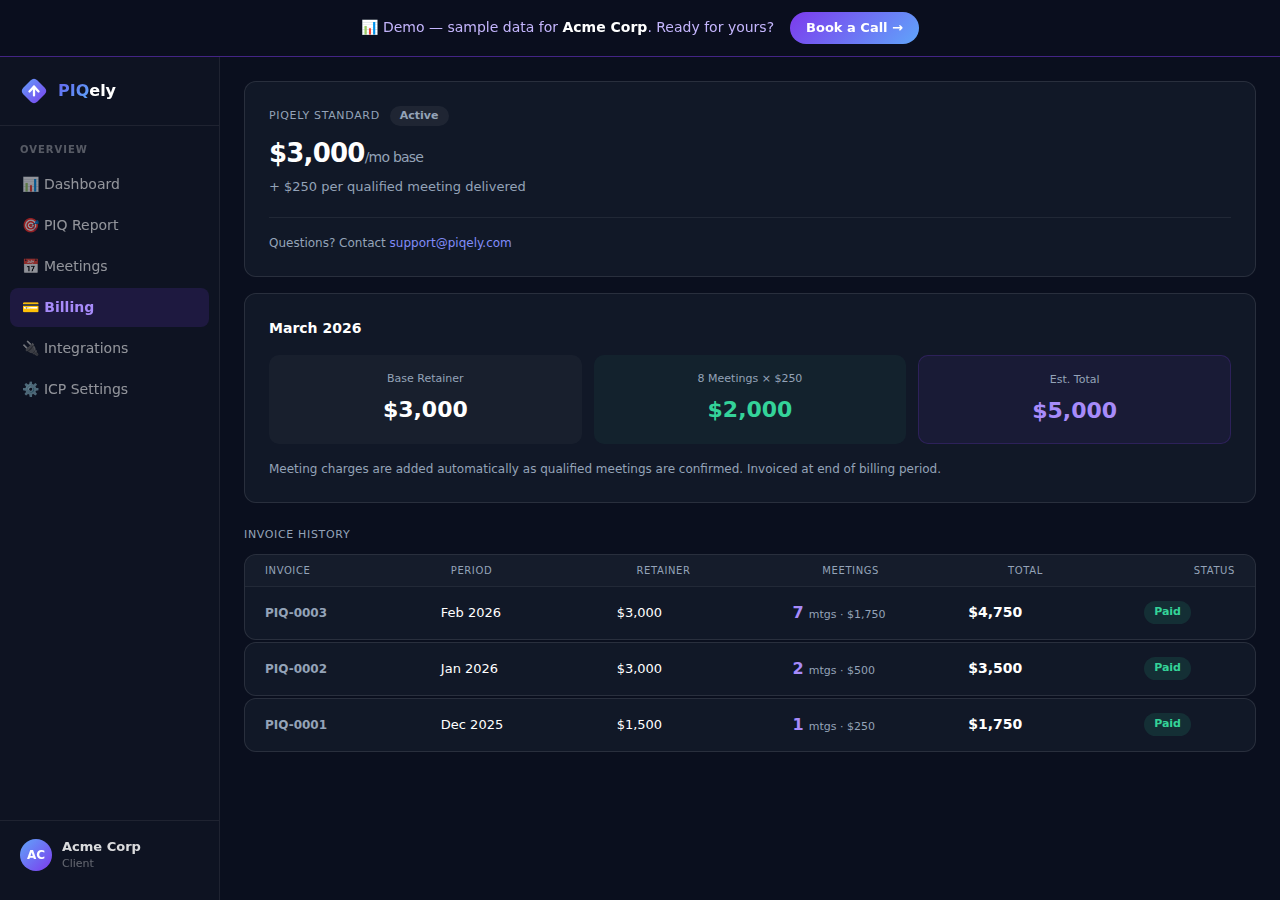
All Piqely invoices use the PIQ- prefix followed by a sequential number (e.g., PIQ-0012). This makes them easy to find in accounting systems.
Each invoice shows:
PDFs are formatted for your accounting team and include all standard business invoice fields.
Payment Methods
We accept all major credit and debit cards (Visa, Mastercard, Amex, Discover) via Stripe. Cards are processed and stored securely by Stripe; Piqely never stores your card number.
To update your payment method:
What Happens If a Payment Fails?
Stripe automatically retries failed payments on days 3, 5, and 7 after the initial failure. Your campaign continues running during this window.
If payment isn't resolved after the final retry, your campaign will be paused and portal access restricted to the billing page. Contact your CSM to resolve.
Frequently Asked Questions
Is the Discovery Sprint included? Yes. The PIQ Assessment (Discovery Sprint) is included in your first month of service, not a separate charge. Your $3,000 month 1 covers onboarding, assessment, ICP configuration, list building, and campaign setup.
What if I need to pause? Contact your CSM. We can pause for up to 30 days for qualifying situations. Pauses beyond 30 days may require restarting warmup.
Can I pay annually for a discount? Annual contracts with a discount are available. Contact your CSM to discuss terms.
Does the $250 meeting fee have a monthly cap? There is no cap by default. If you'd like to set a monthly meeting fee limit, we can discuss this with your CSM. Some clients prefer predictable billing, especially early on.